
Learning how to build whatsapp ai chatbot with n8n is one of the most valuable skills for freelancers, agency owners, and businesses looking to automate customer communication in 2026. Across global commercial hubs in Europe, Latin America, the Middle East, and fast-growing digital economies across India, WhatsApp is not just a personal messaging app—it is the primary channel for business transactions, customer support inquiries, and lead qualification.
However, traditional proprietary chatbot platforms charge steep monthly subscriptions and expensive per-conversation fees that penalize growing businesses. Furthermore, closed platforms lock you into rigid decision trees that sound robotic and frustrate customers.
By combining the free Meta WhatsApp Business Cloud API with n8n (an open-source visual workflow automation platform) and modern artificial intelligence, you can deploy a responsive, human-sounding virtual assistant that answers customer inquiries, schedules appointments, and qualifies leads 24/7 with zero ongoing SaaS platform fees.
In this practical, humanized guide, you will learn the exact step-by-step process to build and deploy your own autonomous WhatsApp AI assistant.
Why You Should Build WhatsApp AI Chatbot with n8n
Traditional chatbot builders rely on rigid “if/else” menus where users must press numbers or type exact keywords. If a customer types a typo or asks a complex question, the bot breaks down.
When you choose to build WhatsApp ai chatbot with n8n, you retain full ownership of your data, eliminate expensive third-party bot builder subscriptions, and connect custom AI models directly to WhatsApp.
Key advantages of using n8n for WhatsApp automation include:
- Natural Conversational Understanding: Powered by models like GPT-4o, Claude 3.5, or local open-weights models like Llama 3 via Ollama, the bot understands nuances, slang, and multilingual queries.
- Direct Integration with Business Tools: n8n easily syncs conversation data with Google Sheets, Airtable, HubSpot, Notion, or internal SQL databases.
- Persistent Conversation Memory: The bot remembers previous messages in the chat session, allowing users to ask follow-up questions naturally.
- Zero Per-Seat SaaS Markups: Because n8n is open-source and self-hostable, you only pay for your underlying server and direct API tokens.
Prerequisites to Build WhatsApp AI Chatbot with n8n
Before you build whatsapp ai chatbot with n8n, ensure you have set up your free Meta developer account and a running n8n instance.
Here is what you will need:
- Meta Developer Account: A registered developer account on developers.facebook.com with access to the WhatsApp Business Cloud API (which provides a free tier of test numbers and message credits).
- An Active n8n Instance: Running locally on your computer, inside a Docker container, or deployed on a low-cost VPS (e.g., DigitalOcean, Hetzner, or AWS).
- LLM API Key or Local Engine: An API key from OpenAI/Anthropic or a self-hosted Ollama instance running locally.
- A Public Webhook URL: If running n8n locally, use a tunnel like ngrok or n8n’s built-in webhook tunnel to receive real-time webhook events from Meta.
Step-by-Step Guide to Build WhatsApp AI Chatbot with n8n
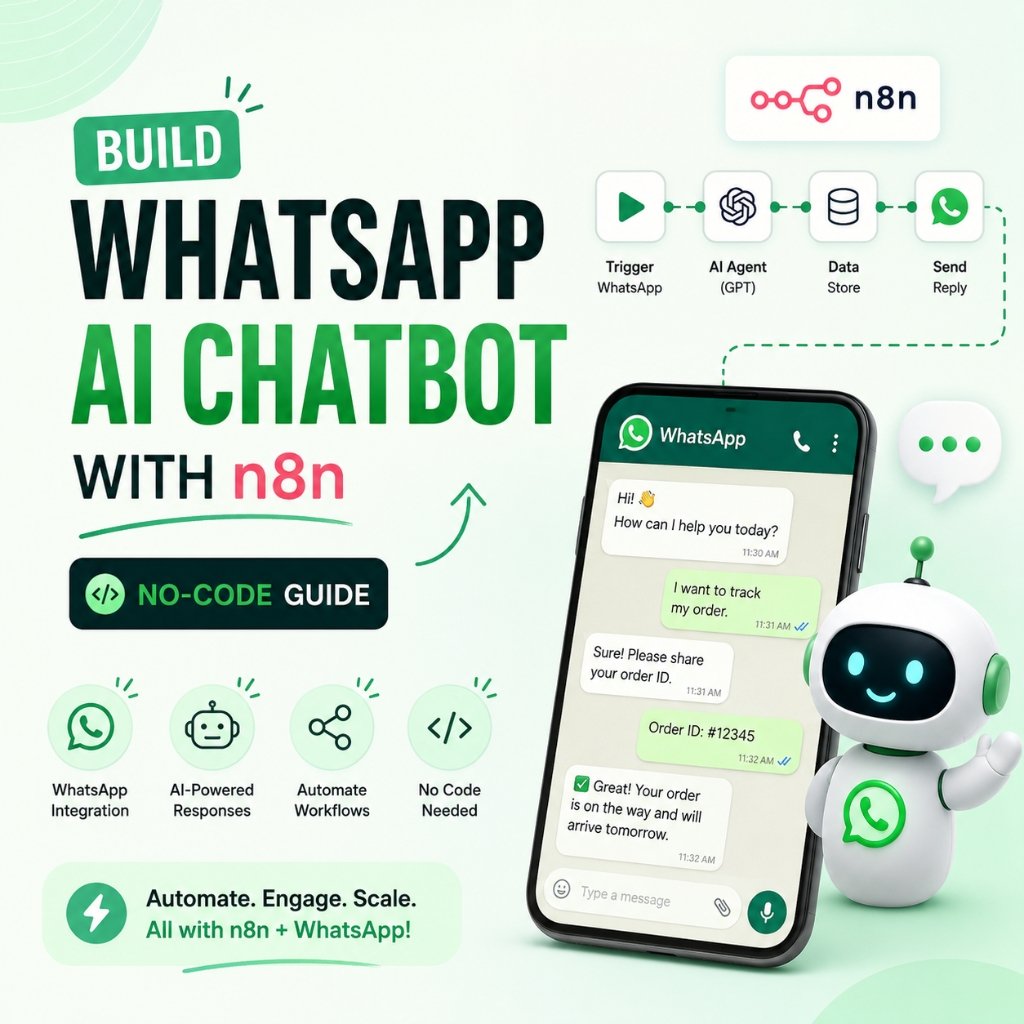
Follow this visual five-step blueprint to construct your automated WhatsApp assistant inside n8n:
[WhatsApp Incoming Message] ──► [n8n Webhook] ──► [AI Agent + Memory + FAQs] ──► [WhatsApp Send Message]
Step 1: Set Up Meta WhatsApp Cloud API & Webhook Verification
- Navigate to the Meta Developer Portal and create a new App under the Business category.
- Add the WhatsApp product to your app. Meta will provide a test phone number, a temporary access token, and a Phone Number ID.
- In n8n, create a new workflow and add a Webhook trigger node. Set the HTTP method to
GETfor the initial verification handshake. - Configure the Meta Webhook settings by pasting your n8n Webhook URL and setting a verification token (e.g.,
aiguruji_secret_token). Once Meta verifies the URL, switch the n8n Webhook node method toPOSTand subscribe tomessagesevents.
Step 2: Extract Incoming Message & Sender Details
When a user sends a message on WhatsApp, Meta delivers a JSON payload. Add a Code or Edit Fields node in n8n to parse the essential fields:
- Sender WhatsApp ID:
body.entry[0].changes[0].value.messages[0].from - Message Text:
body.entry[0].changes[0].value.messages[0].text.body - Sender Name:
body.entry[0].changes[0].value.contacts[0].profile.name
Step 3: Configure the AI Agent & Conversation Memory
At the heart of the setup to build whatsapp ai chatbot with n8n is the AI Agent node paired with conversation memory.
- Drag the AI Agent node onto your canvas.
- Attach the Window Buffer Memory sub-node. Set the session key to the sender’s WhatsApp phone number (
{{ $json.senderPhone }}). This ensures each customer has an isolated, continuous memory thread. - Attach your preferred chat model (e.g., OpenAI Chat Model or Ollama Chat Model).
- Enter your system guardrail prompt:
You are "GuruBot", the friendly virtual assistant for [Your Business Name].
Your goal is to answer customer questions about our services, pricing, and business hours.

RULES:
- Always respond concisely (under 2-3 sentences) because this is a mobile WhatsApp chat.
- Keep the tone polite, professional, and helpful.
- If a customer asks to book an appointment, collect their Name, Preferred Date, and Service Type.
- If you do not know the answer, politely ask them to email support@aiguruji.tech.
Step 4: Connect Your Business FAQ Knowledge Base (Optional RAG)
To make your bot an expert on your specific business policies, attach a Vector Store Tool (such as Qdrant or In-Memory Vector Store) to the AI Agent node. Upload your service brochure, pricing sheets, and refund policy markdown documents. The AI agent will automatically retrieve verified company data before responding.
Step 5: Send the Response Back to WhatsApp
Add an HTTP Request node to dispatch the AI-generated answer back to the user via Meta’s Graph API:
- Method:
POST - URL:
[https://graph.facebook.com/v20.0/](https://graph.facebook.com/v20.0/){YOUR_PHONE_NUMBER_ID}/messages - Headers:
Authorization: Bearer {YOUR_META_ACCESS_TOKEN} - JSON Body:
{
  "messaging_product": "whatsapp",
  "recipient_type": "individual",
  "to": "={{ $('Parse Message').item.json.senderPhone }}",
  "type": "text",
  "text": {
    "body": "={{ $json.output }}"
  }
}
Activate the workflow, send a test message from your personal phone to your WhatsApp business number, and watch your automated AI agent reply in real time!
High-Ticket Monetization: Packaging WhatsApp Bots for Local Clients
Many digital agencies now build whatsapp ai chatbot with n8n as a $1,000 to $2,500 turnkey setup service for local clients.
Local businesses (dental clinics, home construction contractors, coaching academies, and boutique real estate firms) lose thousands of dollars every month due to missed calls and delayed WhatsApp replies. By packaging this setup as a managed solution, you can charge:
- Initial Setup Fee: $800 – $1,500 (API configuration, prompt tailoring, FAQ ingestion).
- Monthly Maintenance Retainer: $200 – $400 / month (monitoring webhooks, server hosting, periodic knowledge base updates).
Frequently Asked Questions to Build WhatsApp AI Chatbot with n8n
Q:Is it free to build whatsapp ai chatbot with n8n using Meta Cloud API?
Meta provides the first 1,000 service conversations per month completely free for WhatsApp Business accounts. Combined with self-hosted n8n and affordable LLM API tokens, running a small-to-medium WhatsApp bot costs just a few dollars per month.
Q:Can the WhatsApp bot handle multilingual conversations?
Yes. Modern LLMs automatically detect the language of incoming messages and reply seamlessly in English, Hindi, Kannada, Spanish, Arabic, or any other supported language without requiring manual translation nodes.
Q:What happens if the customer requests a human representative?
You can configure a conditional tool in n8n that detects phrases like “speak to a human” and triggers an email or Slack alert to your staff while pausing the AI agent for that specific phone number.
Conclusion & Action Steps
Automating customer communications on WhatsApp gives businesses an unfair speed-to-lead advantage. By combining the flexibility of n8n with modern AI language models, you can launch custom, human-sounding WhatsApp bots without writing backend code or paying expensive monthly software subscriptions.
Set up your Meta developer account today, import this workflow into n8n, and deploy your first virtual assistant. For more downloadable workflow templates, prompt engineering packs, and no-code automation tutorials, visit aiguruji.tech.

Pingback: Build AI Voice Agent for Inbound Calls: A Simple Guide 2026